Testing and deployment

  • Give selected people access to the test version of your app via TestFlight (iOS) and Google Play (Android). The test version is used to test the app content before it is released to users.
  • Register test devices so your marketing team can test push notifications and Introflow before it is sent to users.
  • Share the finished app with a single universal link - Flowlink - that works on iPhone, Android and computer and automatically sends the user to the right place. Including a QR code for marketing.

Push notifications

  • Send push notifications with title, text and link - immediately or scheduled for later.
  • Set up an automated welcome flow consisting of a series of push notifications that engage new users in the critical first days after download.
  • Segment recipients into categories and track history and impact on user activity.

Onboarding and branding

  • Build your own Introflow - the first thing users see when they open the app - with text, colors, buttons and multiple languages. Use Introflow to get more users to accept push notifications, privacy policy, location sharing, etc.
  • Customize app icon, splash screen, colors and login methods.
  • Add a Smart Banner on your website encouraging visitors to download the app.

App Store and Google Play

Manage app name, description, keywords, contact information and release notes directly in the Manager platform.

Insights and collaboration

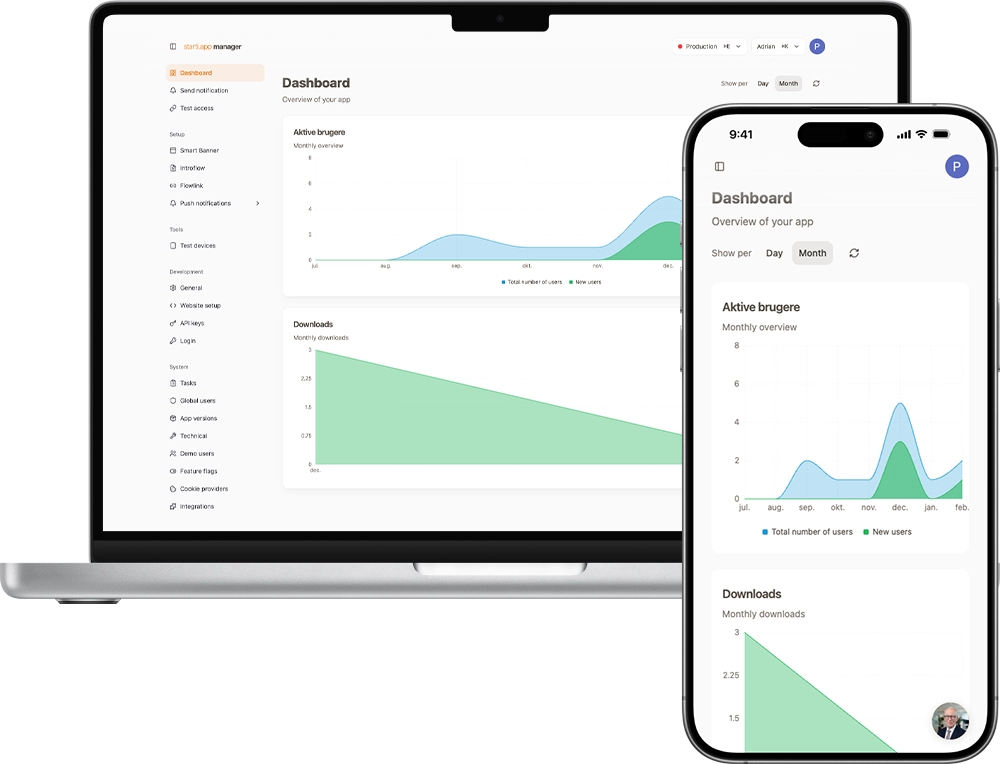
  • Dashboard with statistics on active users, downloads and the impact of your push notifications.
  • Different user types with roles and access control so the entire team can work together.

Get started with starti.app Manager

You need to be a starti.app customer to use Manager. If you are already a starti.app customer, you can book a walkthrough of Manager. If you are not yet a starti.app customer, you can book a demo of starti.app.